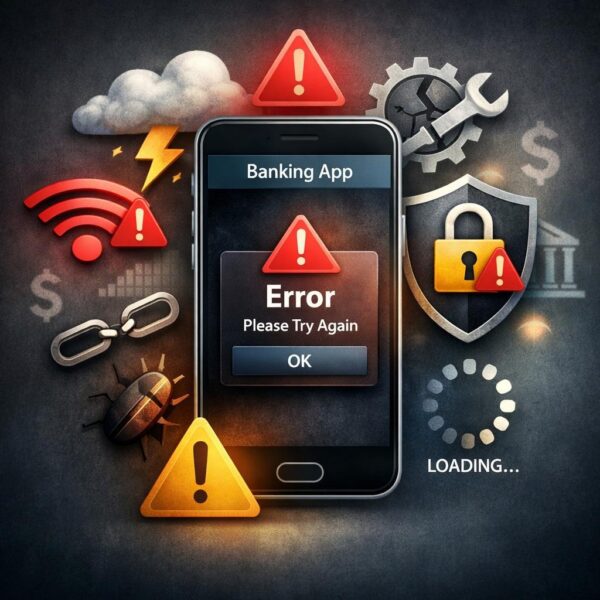
Mobile banking apps have become an essential part of managing everyday finances. From checking balances and depositing checks to transferring money and paying bills, these apps provide fast and convenient access to financial accounts. However, many users eventually encounter situations where their banking app suddenly stops working without a clear reason.
These issues can take different forms. In some cases, the app will not open at all. In others, users may encounter login loops, repeated logouts, or features that stop functioning unexpectedly. While it is easy to assume the problem is caused by a device or connection issue, the underlying cause is often more complex.
Mobile banking apps rely on multiple systems working together behind the scenes. When one part of that system experiences a delay or failure, it can affect the entire user experience.
How Mobile Banking Apps Work
Most banking apps function as a front-end interface connected to several backend services. These systems handle authentication, account data retrieval, transaction processing, and fraud detection.
When a user signs in, the app communicates with authentication servers to verify identity. Once access is granted, additional systems retrieve balances, process transfers, and update account activity in real time or near real time.
Because these processes depend on multiple layers of infrastructure, even a minor disruption can cause noticeable issues in the app.
Common Reasons Banking Apps Stop Working
There are several common causes behind mobile banking problems, many of which are outside the user’s control.
Server-side interruptions
Banks regularly perform maintenance and system updates. If a server experiences downtime or delays, the app may fail to load properly or display errors. In many cases, banks do not provide detailed outage messages, making the issue difficult to identify.
Security and fraud detection systems
Banking apps use advanced security checks to protect accounts. These systems monitor device behavior, network changes, and login patterns. If something appears unusual, such as a new location or network, access may be limited or temporarily blocked.
App updates and compatibility issues
Updates are released frequently to improve security and performance. However, they do not always work seamlessly across all devices or operating systems. Older devices or outdated software may experience crashes or missing features after an update.
Device permissions and system changes
Operating system updates can reset or restrict permissions that apps rely on, such as biometric access, storage, or network connectivity. This can interfere with features like mobile check deposit or secure login.
Session and authentication errors
Some login issues are caused by expired or invalid session tokens rather than incorrect credentials. This can result in repeated login prompts or unexpected logouts.
Why These Issues Often Feel Random
One of the most frustrating aspects of mobile banking problems is how unpredictable they can seem. An app may stop working suddenly and then return to normal without any action from the user.
This happens because many banking systems operate on scheduled processes. Transactions, updates, and account synchronization are often handled in batches rather than continuously. During these periods, certain features may be delayed or temporarily unavailable.
For example, banks operate within strict regulatory and infrastructure standards designed to maintain system stability and security. Organizations like the Federal Deposit Insurance Corporation help establish guidelines that influence how financial systems are maintained and updated.
In addition, backend systems can recover quickly from minor disruptions, which is why some issues resolve on their own over time.
What You Can Do When a Banking App Stops Working
Although many issues originate from the bank’s systems, there are still practical steps users can take to rule out device-related causes:
- Check for app updates and restart the application
- Switch between WiFi and cellular data
- Disable VPNs or network filtering tools
- Restart the device
- Attempt to log in through a web browser instead of the app
If the problem occurs across multiple devices or networks, it is more likely related to the bank rather than the user’s setup.
For a more detailed explanation of common causes and troubleshooting steps, this breakdown of why banking apps sometimes stop working provides additional insight into how these issues develop and how to approach them.
When to Wait and When to Take Action
In many situations, the most effective solution is to wait. Temporary outages and system updates are often resolved within a few hours. Repeated login attempts during an outage should be avoided, as they can sometimes trigger additional security restrictions.
If the issue persists, contacting the bank or checking official service updates may help clarify the situation.
Final Thoughts
Mobile banking apps are built on complex systems designed to balance convenience and security. When problems occur, they are often the result of backend processes, security protocols, or temporary system disruptions rather than user error.
Understanding how these systems operate can make it easier to recognize whether an issue is temporary or requires action. As digital banking continues to evolve, reliability will improve, but occasional disruptions remain a normal part of modern financial services.