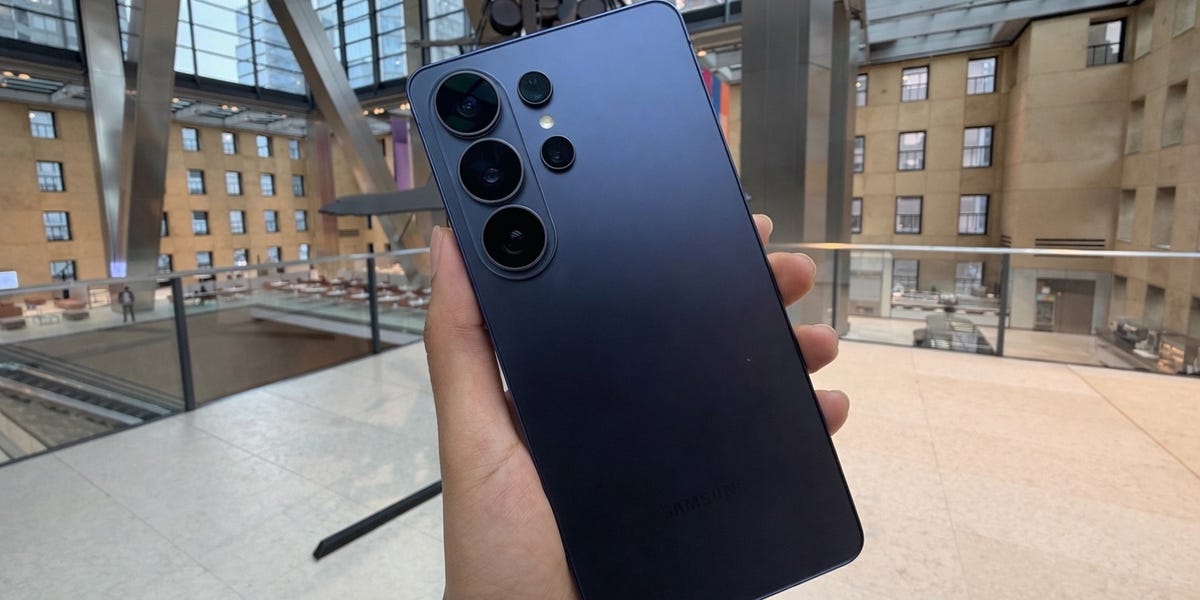
I’m the one who darts my eyes over your shoulders to spy on strangers’ text conversations: the row you’re having with your girlfriend, the rant session with your coworker, and the Secret Lives of Men all unfold in front of my eyes. While I’m riding the Long Island Railroad, I can see who’s watching The Pitt (one of the best TV shows of 2026) and who’s scrolling brain rot on TikTok.
Samsung has swooped in to save you from my prying eyes with the new Galaxy S26 Ultra. For the first time ever, the smartphone has a built-in privacy screen. I’m not talking about a cheap screen protector that you slap on top of the display. It’s a hardware-level privacy feature.
Other than that, the Galaxy S26 Ultra doesn’t bring a major year-over-year leap in hardware. Instead, updates this year lean heavily on software and AI. The real question is: Is that enough to justify an upgrade? Here is my review.
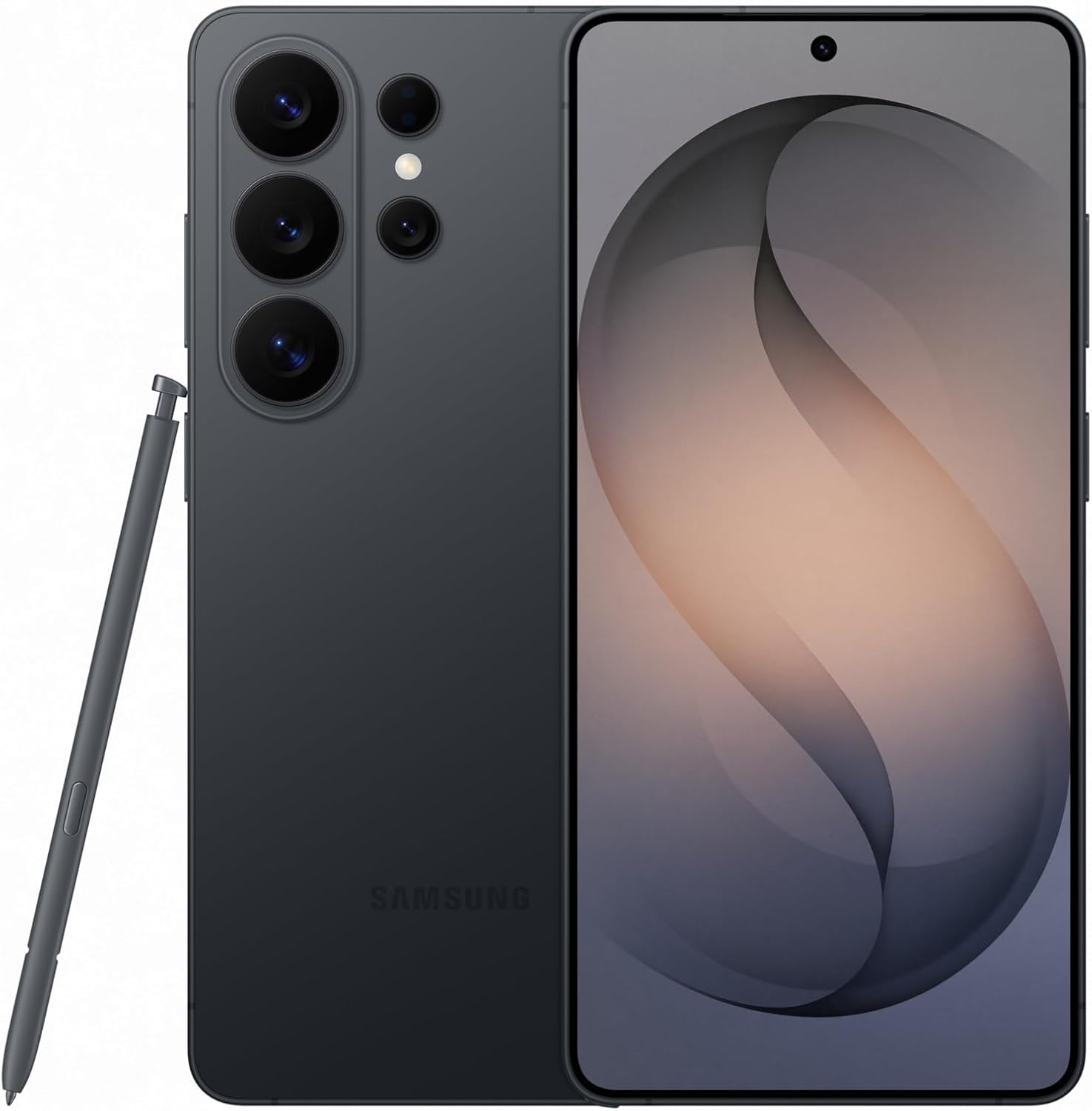
$1299.99
Shop Now
Design
Samsung took a page from Apple’s playbook for the iPhone 17 Pro Max and ditched the titanium frame in favor of aluminum. Why? According to Samsung, the metal swap made this premium-tier model its lightest and slimmest Ultra design yet.
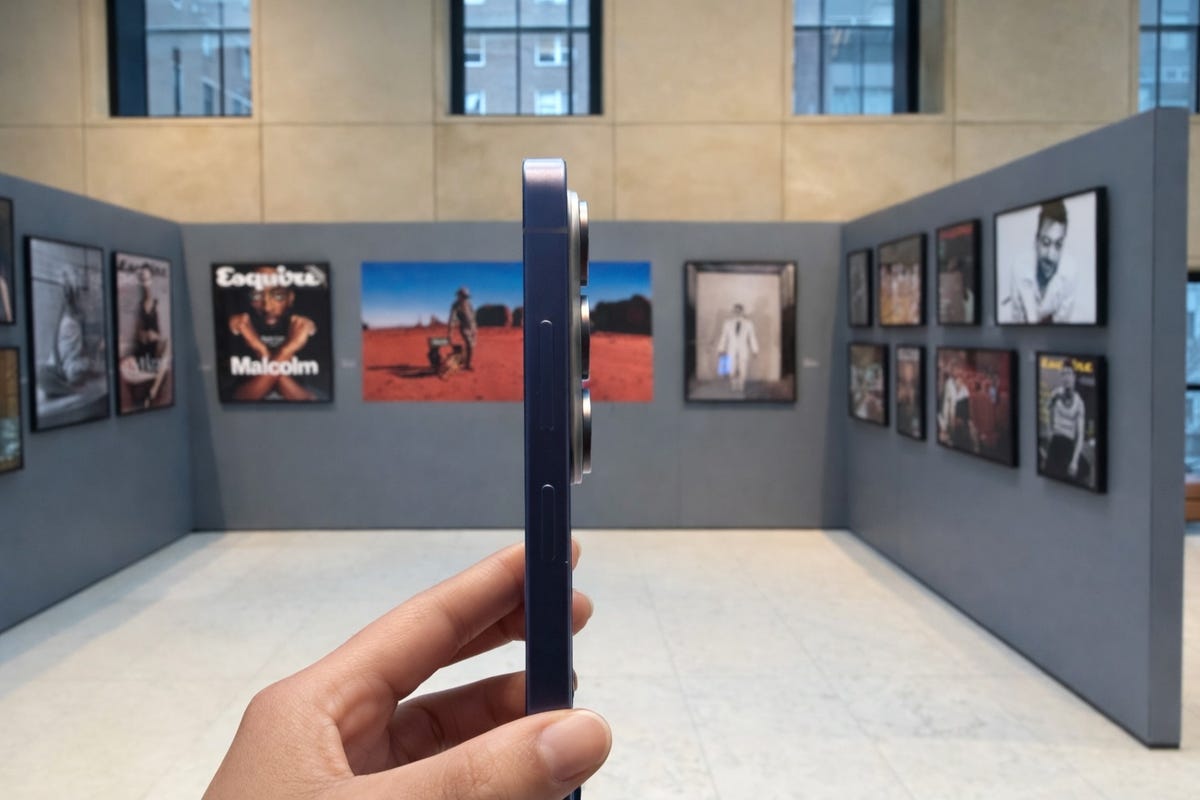
I reviewed the specs, and I see the difference. Last year’s S25 Ultra is 3.2 inches thick and weighs 7.7 ounces; the new S26 Ultra is 3.1 inches thick and weighs 7.6 ounces. This may seem minuscule, but it makes a difference in your hand; the 26 Ultra is noticeably more manageable to hold.
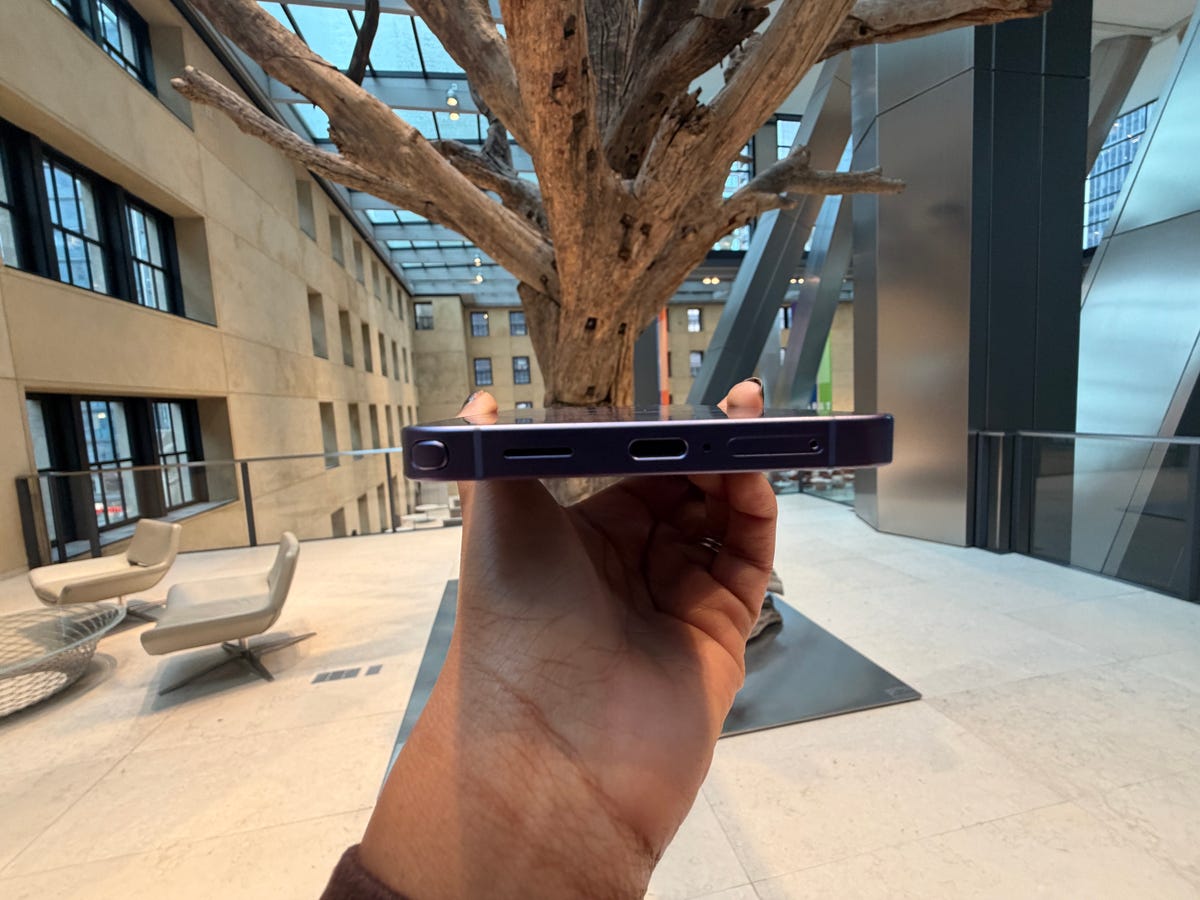
The Galaxy S26 Ultra also has rounded edges. If you’re familiar with the Ultra line, you know it’s leaned into a boxier, sharper aesthetic over the years. This time around, Samsung softened the corners.
And finally, the camera array has been reworked into a more pronounced, raised design. However, as you’ll find out in the section on battery life, it makes charging via wireless power banks a bit awkward.
Privacy Screen
As mentioned, the Galaxy S26 Ultra introduced a new built-in privacy display. It’s the first of its kind integrated directly into a smartphone screen. You can toggle it on through the Quick Panel by swiping down from the top of the display, or enable it through the Settings menu.
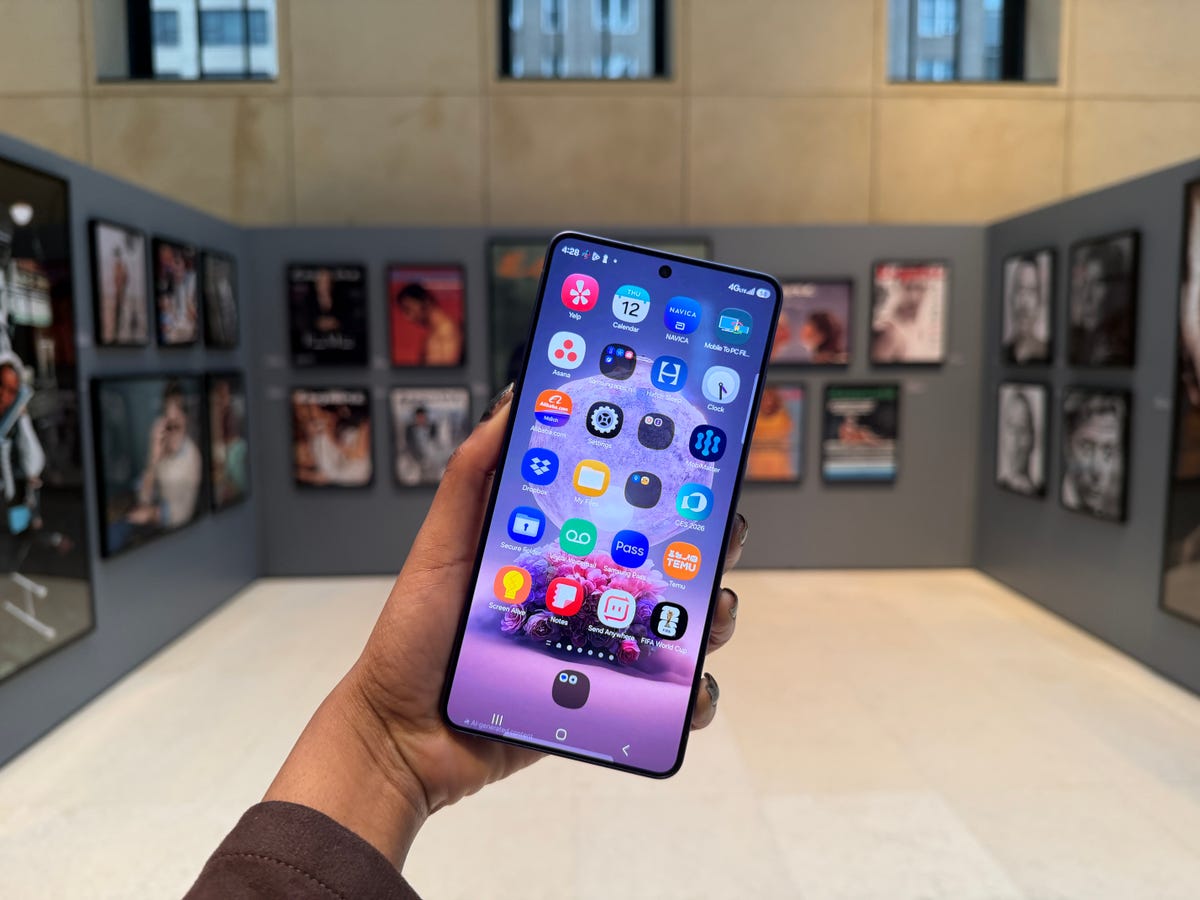
After turning on Privacy Display, I tested it on a few coworkers and friends sitting next to me. I’d ask, “Can you see my screen?” The general response was that they could tell the screen was on, but it was far too dim to make out what I was doing. As for texting, forget it. No one beside me could read what I was typing, even from the seat right next to me.
However, someone sitting directly behind you—say on a bus or train—can likely still see your screen. That’s because the display is designed to remain clear when viewed head-on, while becoming increasingly difficult to see the more angled your viewing position is. After toggling Privacy Screen on and off, the difference is minor to the user. When it’s on, the screen is slightly dimmer, but that’s about it.
Cameras
The cameras are basically unchanged from the previous generation. You’re still getting a 200MP main camera, a 50MP ultrawide, a 12MP selfie camera, and two telephoto lenses: one with 10MP 3x optical zoom and another with 50MP 5x optical zoom.
That said, Samsung claims there’s been an improvement in low-light capture—likely driven by updated image processing rather than new hardware. In other words, it’s less about new sensors and more about how the phone interprets the scene.
I thought it’d be best to compare photos I took with the Galaxy S26 Ultra with the iPhone 17 Pro Max, Samsung’s biggest competitor.
Main Camera
On paper, the iPhone 17 Pro Max’s 48MP main camera appears inferior to the Galaxy S26 Ultra’s 200MP camera. (Big number means it’s better right?) But day-to-day photo taking is where Apple shows off.
Here is the Galaxy S26 Ultra’s wide shot of a library room inside Oheka Castle, where Succession was filmed, on Long Island.


Looking at these two photos side-by-side, the iPhone 17 Pro Max image handles difficult lighting more naturally than the Samsung Galaxy S26 Ultra. It looks like the iPhone 17 Pro Max is better at dynamic range. In other words, it can juggle light and dark parts of the same photo simultaneously. The Galaxy S26 Ultra shot is noticeably brighter and smoother, so if you prefer a more evenly lit scene over the iPhone’s moodier aesthetic, Samsung may be more your style.
Ultrawide
I also took a picture of the castle’s exterior using the ultrawide lenses at 0.5x.


The iPhone 17 Pro Max delivers a brighter and more balanced image overall. The lawn, steps, and building facade are easier to see, while the sky still retains plenty of detail. Colors also look more natural, whereas the Galaxy S26 Ultra’s shot appears slightly darker with stronger contrast, which makes parts of the scene feel a bit more muted. On the other hand, the Galaxy S26 Ultra captured more scenery and background.
Battery Life
The Galaxy S26 Ultra battery life is pretty incredible. After running a video loop at 50 percent brightness, the Samsung device conked out at 19 hours and 50 minutes. That’s longer than I stay awake in a day.
This beats the Google Pixel 10 Pro XL, which lasted about 17 hours on the same test. However, the iPhone 17 Pro Max remains a tough contender with a shocking battery runtime of 29 hours and 14 minutes.
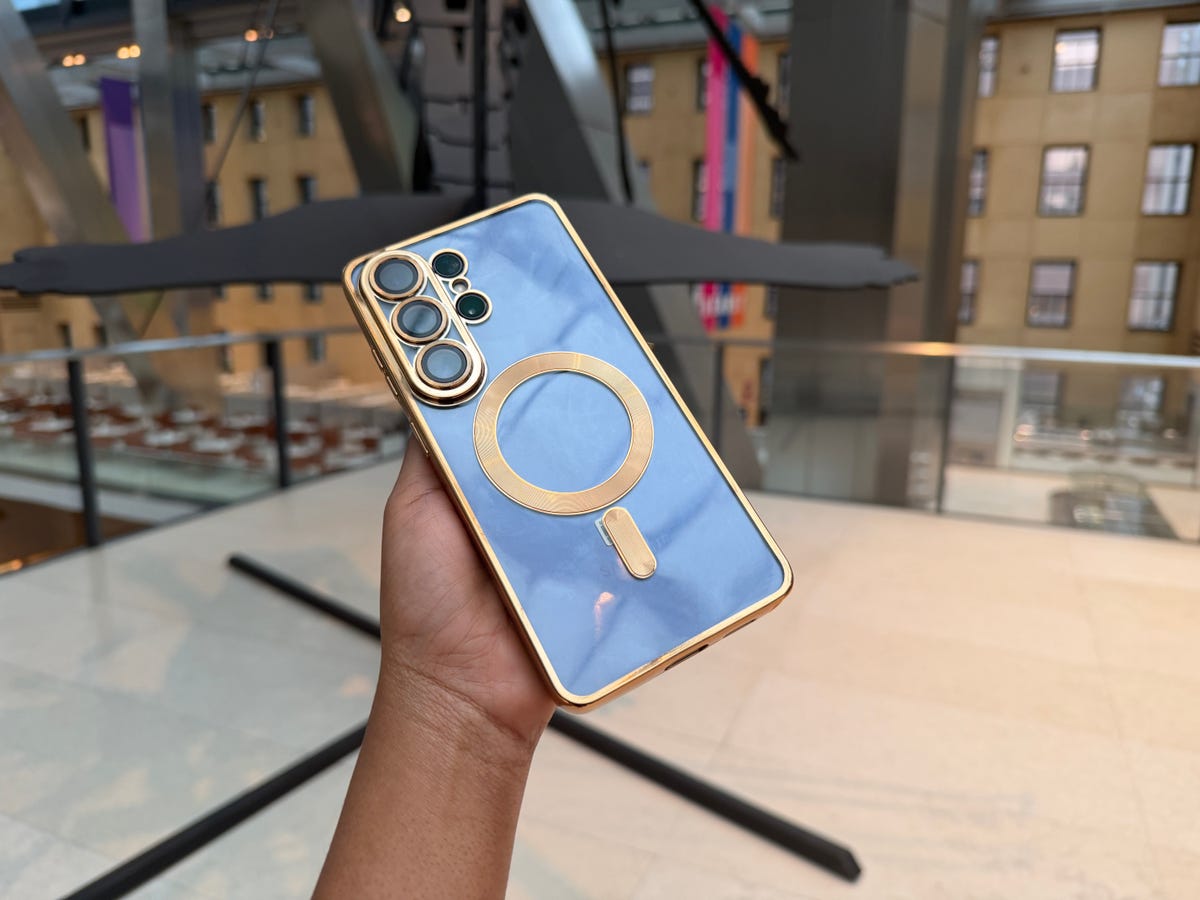
Speaking of battery, the Galaxy S26 Ultra still skips native Qi2 support, the feature that lets you snap MagSafe-style power banks onto the back. You can get around this with a magnetic case like the one I’m using below.
That said, the new raised camera bump complicates things. It can interfere with alignment between the power bank and the magnetic ring, so while it does charge, getting it to sit just right can be a bit annoying.
AI Features
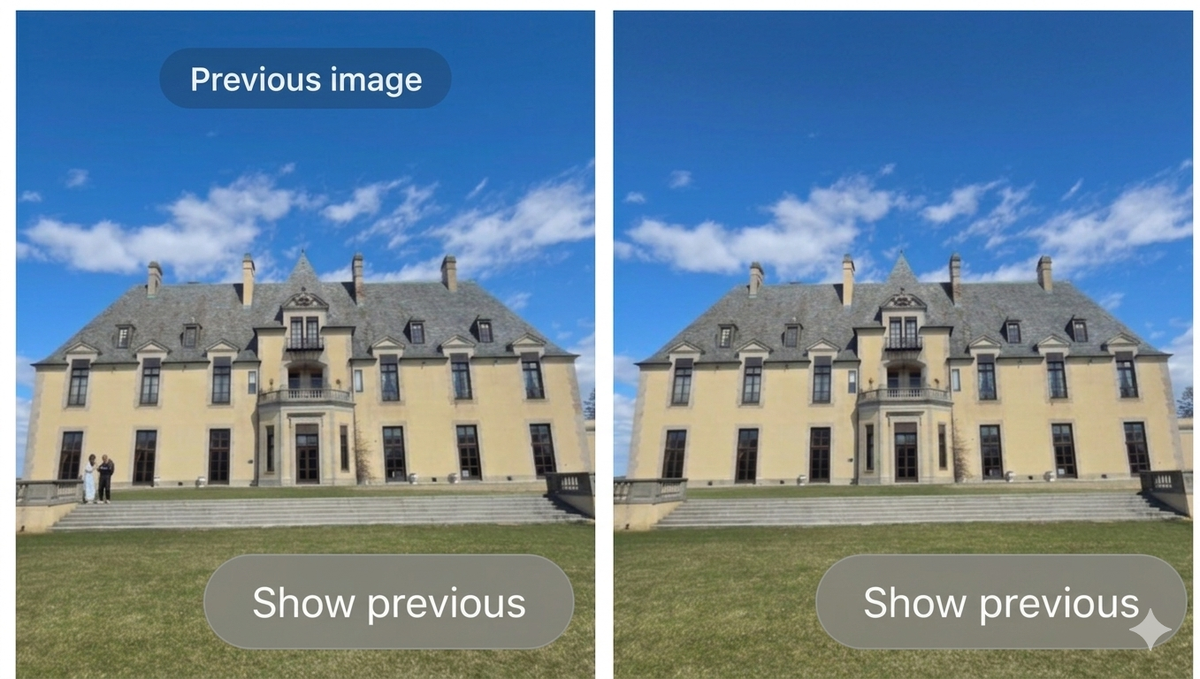
The Galaxy S26 Ultra leans quite heavily on AI. For those of you eager to incorporate AI into your life, I’ve experimented with some of the new features. Using Photo Assist, I removed two randos from my Oheka Castle picture, and Galaxy AI did an excellent job at erasing them. Good riddance.
I also used Galaxy AI to add a monkey onto a tree that I captured inside our office at the Hearst Tower.

Pretty neat, huh? And honestly, you wouldn’t even know that AI had a hand in adding that monkey; it looks pretty seamless.
Should you upgrade to the Galaxy S26 Ultra?
The Galaxy S26 Ultra is best for people who love having the latest tech tricks at their fingertips, especially if privacy matters to you. If you commute often and hate the idea of someone throwing a little side-eye at your screen, the built-in Privacy Display is genuinely useful. It’s also a great fit for Android fans who want impressive battery life and Galaxy AI tools that can erase photobombers, or even add entirely new elements to your photos. 
However, if camera quality is your top priority, competitors like the iPhone 17 Pro Max may still have the edge when it comes to dynamic range and more natural-looking photos. But I understand everyone has different tastes; some may prefer Samsung’s brighter, more evenly lit captures.
The Galaxy S26 Ultra comes in Silver Shadow, Pink Gold, Cobalt Violet, Sky Blue, White, and Black. It starts at $1,299 and is available to order now via Amazon.
Shop Now